01
You talk faster than you type.Dictate a note and get text back, with nothing sent off the phone to produce it.
 ANotes
A notebook that listens, and reads aloud. Speech-to-text, text-to-speech, storage and search — all running on the phone in your hand.
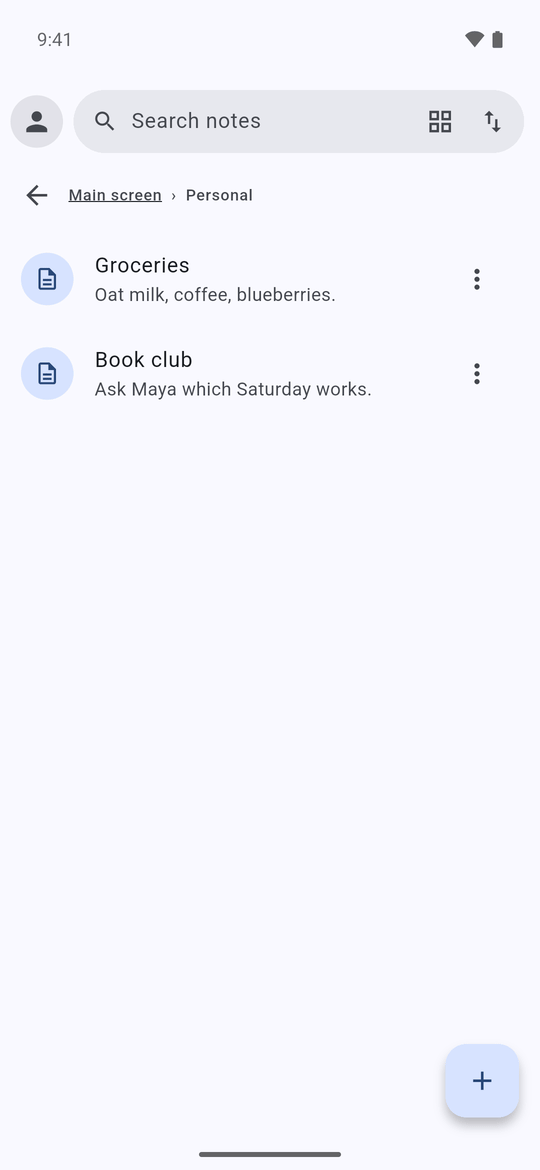
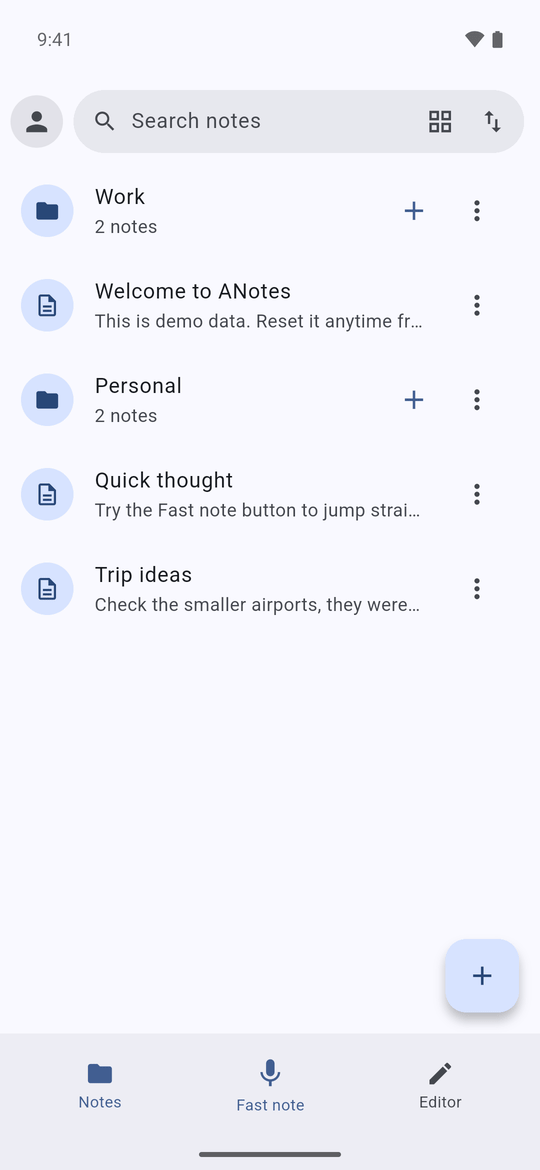
Your notes never leave the phone, because nothing in the app has a way to send them anywhere: no account, no sync, no analytics. They live in ANotes' private storage, which other apps can't open, protected by your phone's own encryption and screen lock. When you want a note somewhere else, you share it yourself.
Speech and voice models download once, for the languages you pick. After that, nothing needs a connection.
The note, recording or .md file you share, to the app you pick. Only then, and only that.
Your notes, your recordings, what you say. No account, no sync, no analytics.
This website's form is separate. The details are in the privacy policy.
Built not to lose a word. Saving never deletes a note, and Undo puts back only what it changed. Before adding anything new, we spent a week making sure of it.
Later: optional backup to your own Google Drive. Notes are encrypted on the phone with a passphrase only you know, before anything leaves it — so Google can't read them, and neither can anyone without that passphrase.
 App iconSapphire Aura
Who we built ANotes for first.
Ideas come faster than you can type. Talk, and the text is there.
ADHD, RSI or dyslexia: speak your notes in, and have them read back out.
Hear any note on a walk, and bookmark the place you stopped.
Field work, travel, a basement. Nothing here needs a connection.
Plain Markdown, ready to share into your vault.
The problem ANotes is actually solving.
Dictate a note and get text back, with nothing sent off the phone to produce it.
On a train, in a basement, abroad without data: a cloud notes app keeps you waiting while it loads, or doesn't open at all. In ANotes every note is already on your phone, so it opens at once, signal or not.
The original recording is kept next to the text, so you can hear what you actually said, and transcribe it again as better models arrive.
Hand you an audio file and stop there.
Turns it into a searchable note, and keeps the audio too.
Process your voice on a server, and often count your free minutes.
Never lets what you say or write leave the phone, so there are no minutes to count.
Keep your writing in their own locked format.
Writes plain Markdown, which any notes app can open.
Capture it, listen back, find it later.
What just shipped, and the problems we solve next.
Structure a note as you write it, and send it anywhere.
Stop reading at any moment, bookmark a sentence, and carry on days later.
Tidy, sum up or translate a note with AI that runs on the phone itself, with the network off.
Keep talking, even when your phone needs you for something else.
A private copy of your notes that only you can open.
Google Play first, then iPhone.
Only downloads. The voice models you choose are downloaded once, from Hugging Face or GitHub, which see your IP address as with any download. Your notes, recordings and transcripts never leave the phone unless you share them yourself.
There is no account, no sync and no analytics. The details are in the privacy policy.
Yes. Once a model is downloaded, dictation, reading aloud, storage and search all work with no connection, even in airplane mode.
Android first; iOS later. The AI features now in testing need Android 11 or newer and a recent mid-range phone or better. On first start, ANotes tests your phone and recommends what runs well on it.
Yes, the app will be free. A paid full version is planned, with extra looks such as skins and markers.
Pick dictation and read-aloud models from the built-in library, including English and Russian. Each model lists the languages it understands. You download only the ones you need.
The AI features, now in testing, use open models that run on the phone itself. Like the voice models, they are downloaded once and then work offline. Your notes are never sent to an AI service.
Most voice-note and transcription apps send your voice to a server and need an account. ANotes turns speech into text on the phone, needs no account, and keeps notes as plain Markdown, which you can take anywhere.
Use the form below. In the app, open Help and support from the avatar menu.
ANotes is in alpha testing right now. Leave your email and you'll get one message when it's out — or send us a question.
We use it every day, and it changes every week. Expect rough edges, never a lost note.
Use the form below, or Help and support in the app's avatar menu. Say your phone, what you did and what happened.
An Android phone, and Wi-Fi once to download the models you choose.
Google Play listing — coming soon.
Source-available, not open source. Free for personal use, study, research, hobby projects, and for charities, schools, universities and public-research bodies. Selling it, or using it inside a commercial product, needs written permission.
The app will be free. A paid full version is planned, with extra looks such as skins and markers.